Telegram on your TV
Tevegram is a Telegram client for Android TV and Google TV. It shows your chats, gathers the videos from your channels and groups into a library you browse with the remote, plays them while they download, and can overlay the chat on top of any other app.
Does it work on my TV?
- YesAndroid TV Sony, TCL, Philips, Hisense, Xiaomi TVs and boxes with the Play Store
- YesGoogle TV Chromecast with Google TV, Google TV Streamer, Google TV sets
- YesNvidia Shield all generations, the most comfortable device
- YesXiaomi Mi TV Stick, Mi Box works, with tips for their small memory
- NoAmazon Fire TV not available on Fire OS for now
- NoSamsung, LG TVs no Android; a Google TV stick in HDMI solves it
- OtherApple TV a separate, more basic app on the App Store
Rule of thumb: if your TV or stick has the Google Play Store, it works.
What it does
- Signs in to your existing Telegram account by scanning a QR code with your phone.
- Shows your chats, groups and channels; you pick which ones to follow.
- Gathers their videos, photos and documents into one library, filtered by type and by chat.
- Starts playback while the file is still downloading, and resumes each video where you stopped.
- Lets you read and reply to messages from the TV.
- Overlays any conversation you choose on top of other apps (a toggle per chat): watch a show or a match with friends and keep the group chat on screen, or show the notifications your home automation sends you.
What it does not do
- It does not run on Fire TV (Fire OS), nor on Samsung or LG TVs; see the device pages for what works there.
- It does not host, index or recommend any content. Everything it shows already sits in your own Telegram account.
- It does not work offline, except for videos already fully cached.
Price
Free to install, sign in and browse your chats and library. A Premium subscription (monthly, yearly, or a one-time purchase) unlocks video playback. It is bought through Google Play and valid on every TV signed in with the same account.
Screens
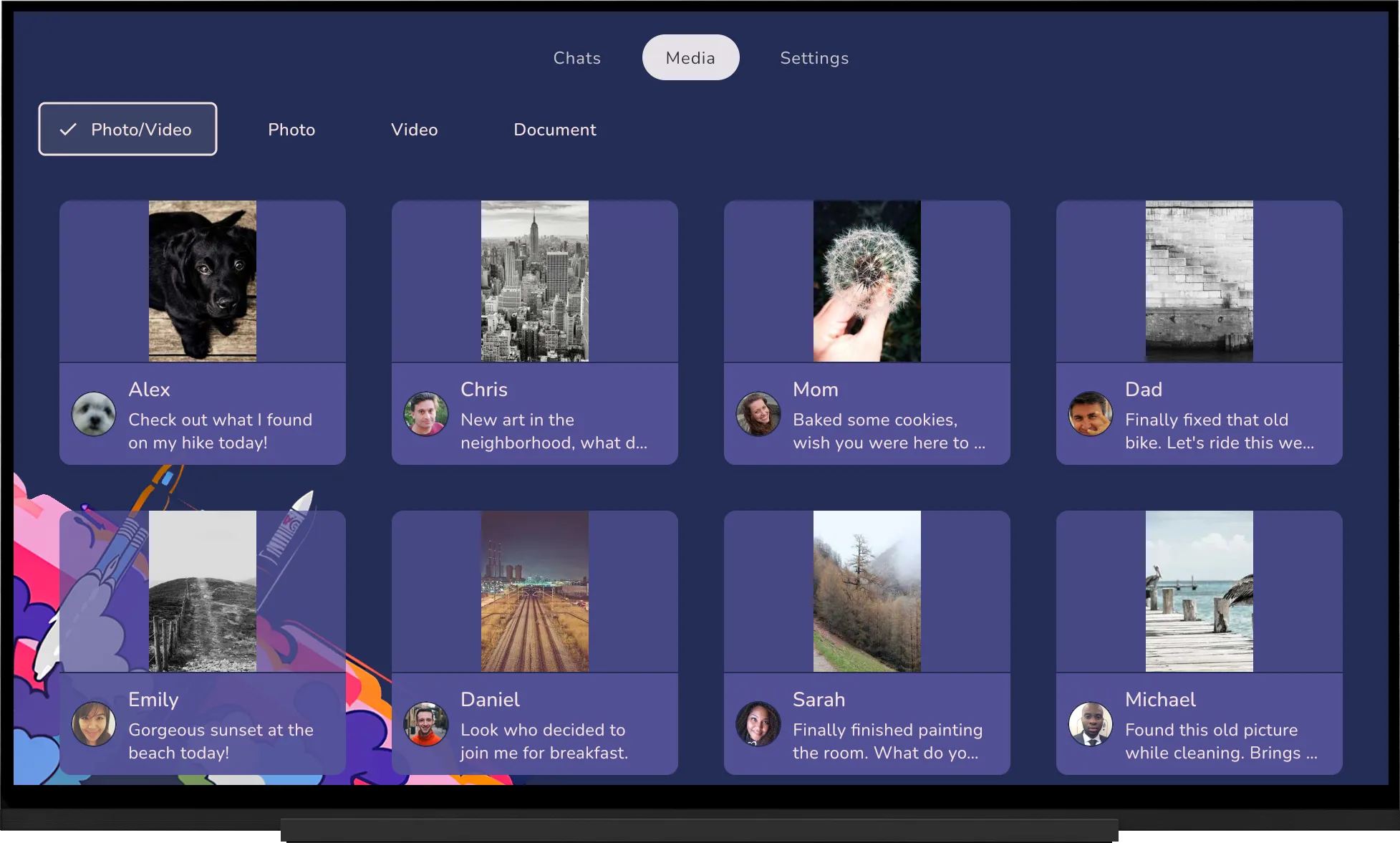
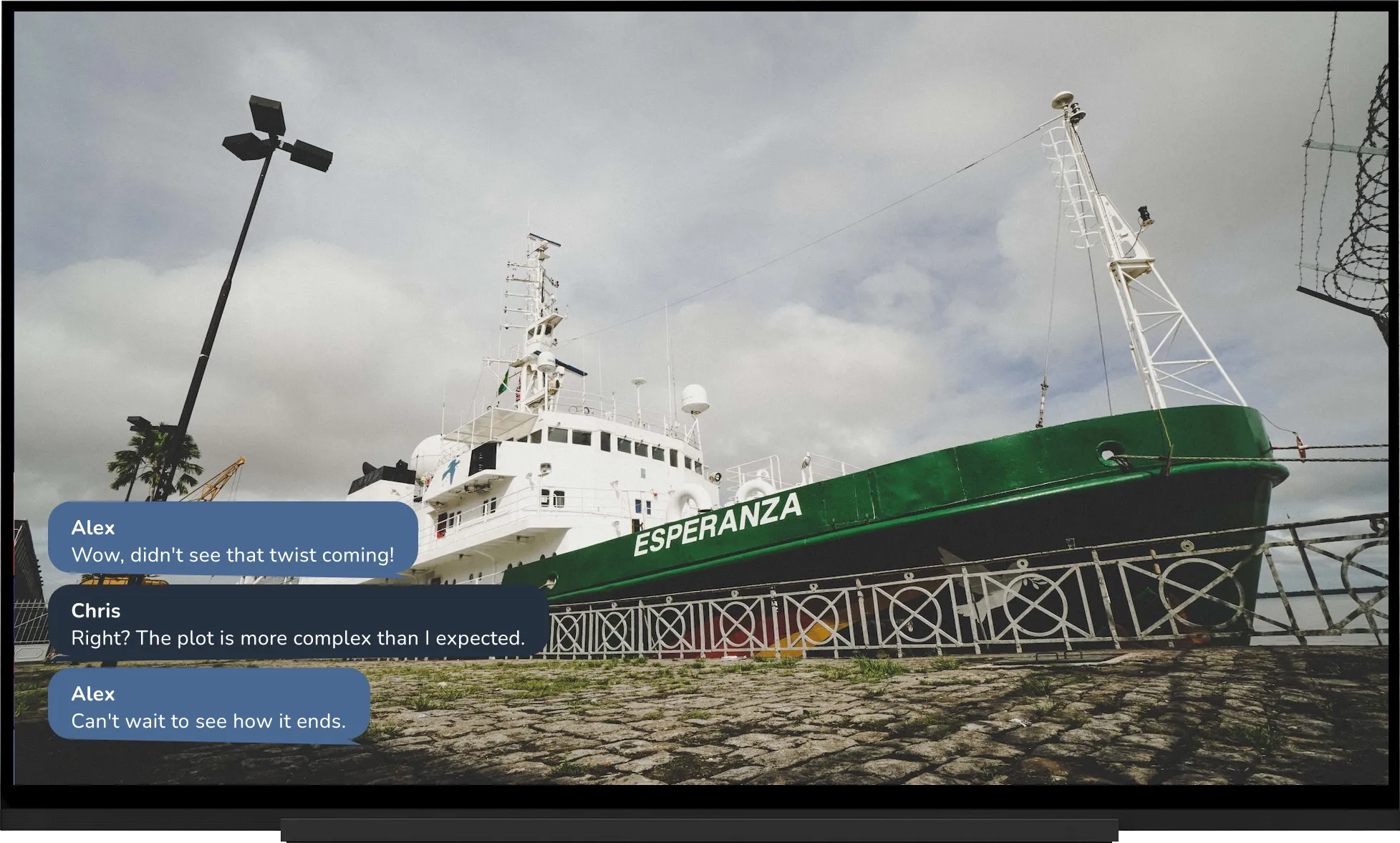

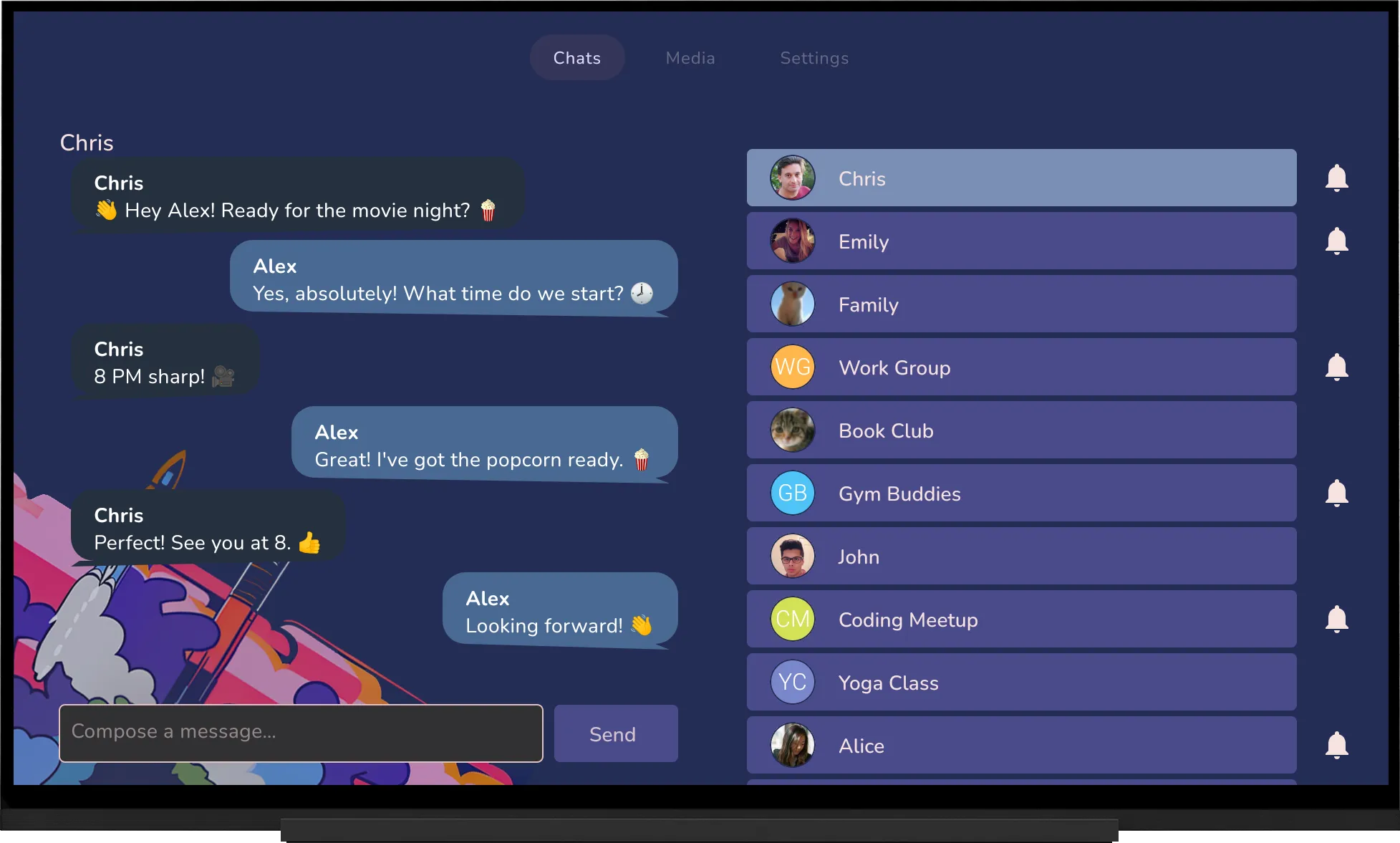
Demo data.
Common questions
Is there an official Telegram app for TV?
No. Telegram has official apps for phone, tablet, desktop and web, none for TV. Tevegram is a third-party client built on Telegram's official API (TDLib).
Do I need a special account?
No. Your usual Telegram account. Tevegram appears as a session under Settings, Devices, and you can end it from your phone at any time.
How is it different from casting?
Casting mirrors your phone: the phone stays busy, quality depends on Wi-Fi, no library, no resume. Tevegram runs on the TV itself and downloads and plays the videos directly.
Is it legal?
Tevegram is a client, like a browser or a mail app: it displays what is already in your Telegram account and nothing else. What you watch is subject to the same rights as on your phone.